


ELEVATED™ JetMark Pro-Handheld Inkjet Printer
ELEVATED™ JetMark Pro-Handheld Inkjet Printer
✓ Mark Products, Packages, Tools & Daily Items
✓ Print Text, Dates, QR Codes, Barcodes & Logos
✓ Works on Wood, Metal, Plastic, Glass, Fabric & Cardboard
✓ Print Directly, No Stickers Needed
✓ Up to 100k QR Code Prints Per Cartridge*
Couldn't load pickup availability

ELEVATED™ JetMark Pro-Handheld Inkjet Printer
Product Specification
Product Specification
Print Content:
Prints text, time, date, QR codes, barcodes, logos, batch numbers, and more.
Battery Capacity:
Built-in 2000mAh rechargeable battery, supports over 3 hours of use.
Product Weight:
Lightweight 420g body, easy to hold, carry, and operate.
Print Height Options:
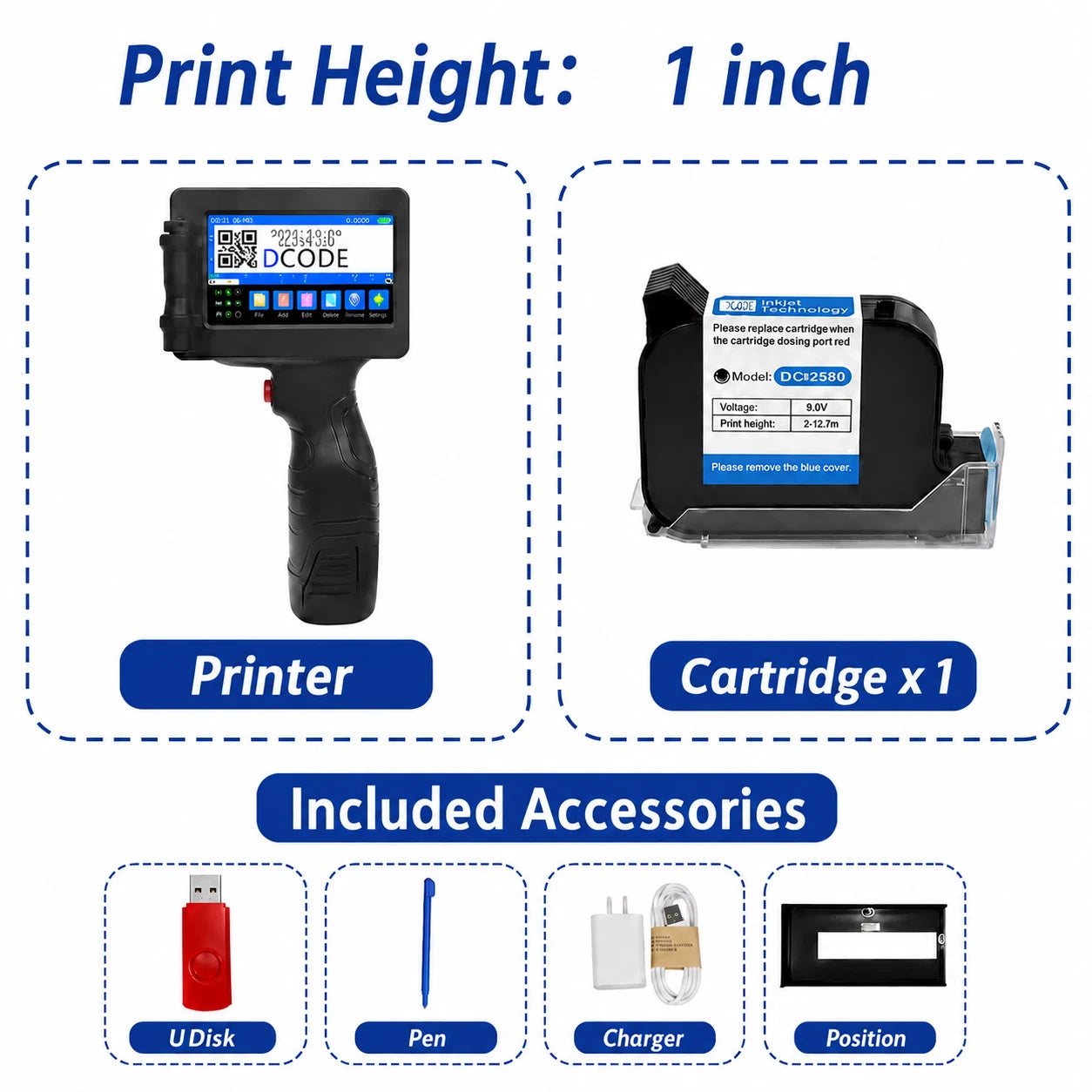
Available in 0.5 inch / 12.7mm and 1 inch / 25.4mm.
Material Compatibility:
Works on wood, metal, fabric, plastic, cardboard, glass, leather, and more.
Ink Cartridge:
Each printer includes 1 ink cartridge, ready to use after setup.
30-Day Money Back Guarantee
30-Day Money Back Guarantee
We believe our products can make a real difference in people’s lives, and we stand behind them completely.
All Elevated items come with a 30-day money-back guarantee and a 180-day warranty for extra peace of mind.
If you experience any issue, our support team will do everything we can to help you and make sure you have a positive experience with Elevated.
Shipping information
Shipping information
Please allow 1 to 2 days for us to process, ship your order.
We offer fast shipping worldwide, and you will receivea tracking number to monitor your package every stepof the way.
Shipping Options:
Standard Shipping Worldwide: Typical deliverytimeframe of 6-12 days.



Print Text, Dates, QR Codes, Barcodes & Logos
Create the marks you need for products, packages, inventory, tools, and daily items. Add custom text, dates, batch numbers, QR codes, barcodes, or logos directly from the device.

Print Directly on Common Surfaces
Print Directly on Wood, Metal, Plastic, Glass, Fabric & Cardboard

Made for Business, DIY & Everyday Marking
Useful for small businesses, warehouses, handmade products, packaging teams, workshops, fabric projects, storage boxes, tools, and home organization.

Up to 100,000 QR Code Prints Per Cartridge
Each printer includes one fast-drying ink cartridge. When printing QR codes only, one cartridge can print up to 100,000 times, helping reduce long-term marking costs.
FAQs
Do you ship outside the United states?
Do you ship outside the United states?
We currently ship to the United States and most European countries.If your country isn’t covered, please contact us — we’ll do our best to arrange a shipping solution with our logistics partners.
What can this handheld inkjet printer print, and what materials can it print on?
What can this handheld inkjet printer print, and what materials can it print on?
This handheld inkjet printer can print text, numbers, dates, time, batch numbers, serial numbers, counters, QR codes, barcodes, logos, symbols, and simple images. It can be used on cartons, wood, metal, plastic, glass, pipes, cables, and many other surfaces. It is suitable for product packaging, warehouse labeling, batch marking, and small-batch customized printing. Printing adhesion may vary depending on the ink cartridge type and surface condition, so we recommend testing before bulk use.
What is the printing height? How long does it take to dry, and will the print fade or rub off?
What is the printing height? How long does it take to dry, and will the print fade or rub off?
The printing height is about 2–12.7mm, making it suitable for production dates, batch numbers, barcodes, QR codes, and small logos. Drying time and durability depend on the ink cartridge type and the printing material. Absorbent surfaces such as cartons and wood usually have better adhesion, while smooth surfaces such as plastic, metal, and glass are recommended to be used with fast-drying ink cartridges and allowed proper drying time after printing.
Does it need to be connected to a computer or phone to use?
Does it need to be connected to a computer or phone to use?
Usually, no. The printer has a touchscreen, so you can edit printing content directly on the device. If you need to import logos, images, or specific files, they can usually be imported via USB or similar methods. Please refer to the user manual for detailed operation steps.
How can l contact you?
How can l contact you?
You can contact us atsupport@elevatedparts.com